Have better insight into your network

SunVizion Network Inventory Management System is a multi-module, multi-technology comprehensive solution for the inventory of both logical and physical network elements, as well as the support of the network planning process. The solution seamlessly operates with any network technology and with all types of the networks. An integrated workflow engine supports the processes related to network management and sales of the services. Intelligent discovery and reconciliation mechanisms improve the accuracy of network data. The solution is accessible through three platforms: desktop, web, and mobile.


In its capacity as an integrated, robust, enterprise-wide platform, SunVizion empowers operators to realize successful OSS transformation.


By orchestrating intelligent management of network and service data, SunVizion Network Inventory facilitates significant efficiency enhancements across various telecommunications  business processes, encompassing:

Network design 
and expansion
Network design
and expansion
Service sale, delivery 
and provisioning
Service sale, delivery
and provisioning
Fault 
management
Fault
management
Network 
maintenance
Network
maintenance

Physical Network Inventory

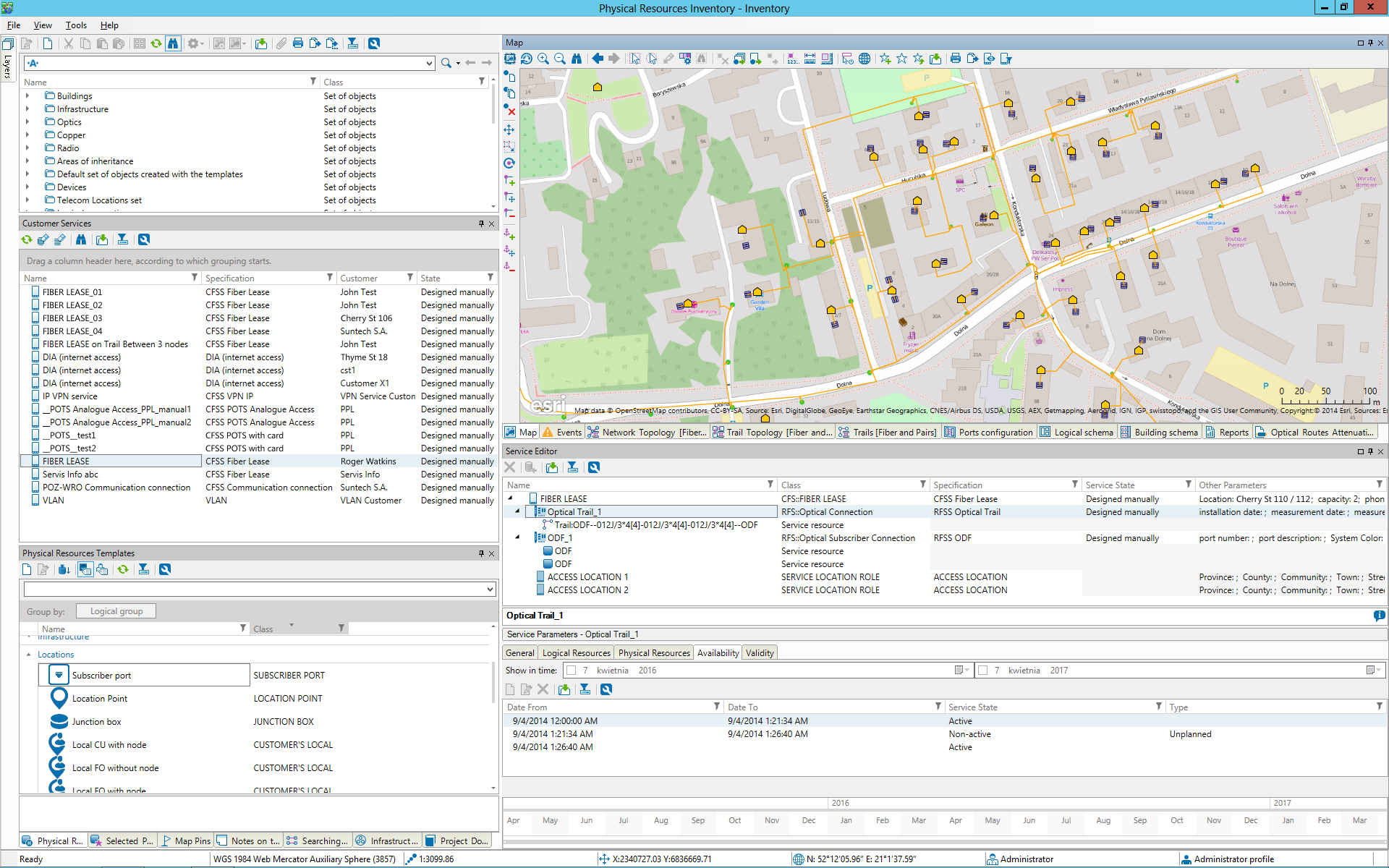
SunVizion Physical Network Inventory is the foundation for building and operating a reliable telecom network database. It captures the real, physical world of the network—sites, structures, ducts, cables, fibers, equipment and ports—and connects it into one consistent model, so teams can instantly understand what exists, where it is, how it is connected, and how much capacity is still available.
Instead of keeping separate spreadsheets, drawings and partial GIS layers, you get one operational view that supports day-to-day work across engineering, rollout, service delivery, and field operations.

One inventory for Outside Plant and Inside Plant

SunVizion lets you manage the physical network across both environments:

  • Outside Plant on a GIS map: record buildings, cabinets, chambers, manholes/handholes, poles, duct routes and duct segments, including assets that are owned and leased.
  • Inside Plant in floor plans and equipment views: document what is installed in a site down to the exact room layout, rack position and port.

This makes it easy to move from a high-level geographic view to a precise technical view—without losing context.

A connectivity model you can trust

Physical Network Inventory is built around connectivity, not just an asset list. It stores and relates:

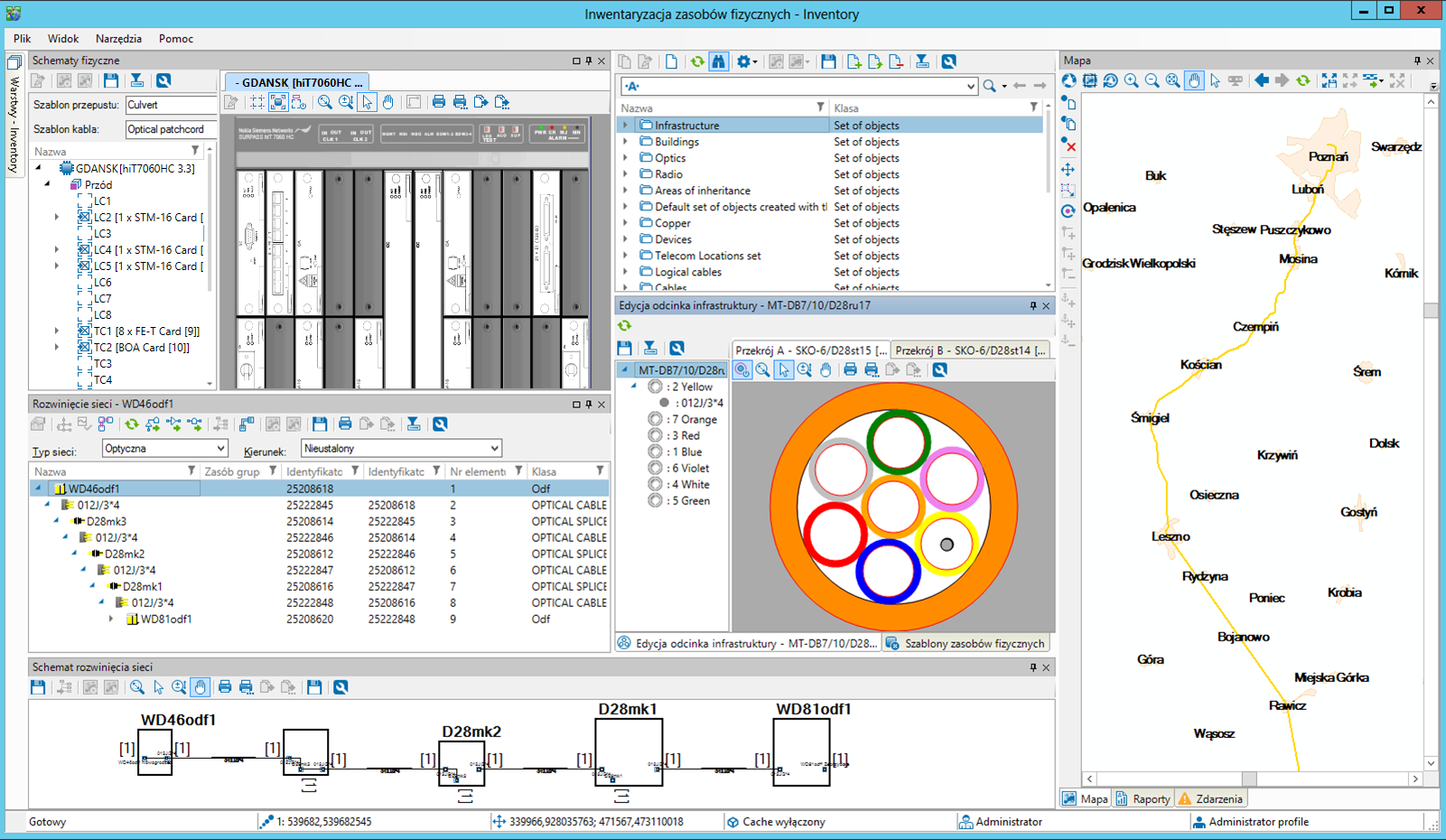
  • Optical, copper and coax cables with full structure information (fibers/pairs, tubes, colors and other parameters)
  • Containment and routing such as duct sections, sub-ducts, risers and overhead spans
  • Junctions and terminations, including splice closures, splicing details and cable reserves (slack) at key points in the network
  • Strengthens connectivity confidence by combining accurate topology and port-level modeling with built-in engineering analysis (e.g., PON optical loss calculations and HFC signal/power verification), so designs and operational decisions are based on validated network behavior rather than assumptions.

Because assets and connections are modeled together, you can trace how the network is built, how it is used, and what is available—without guesswork.
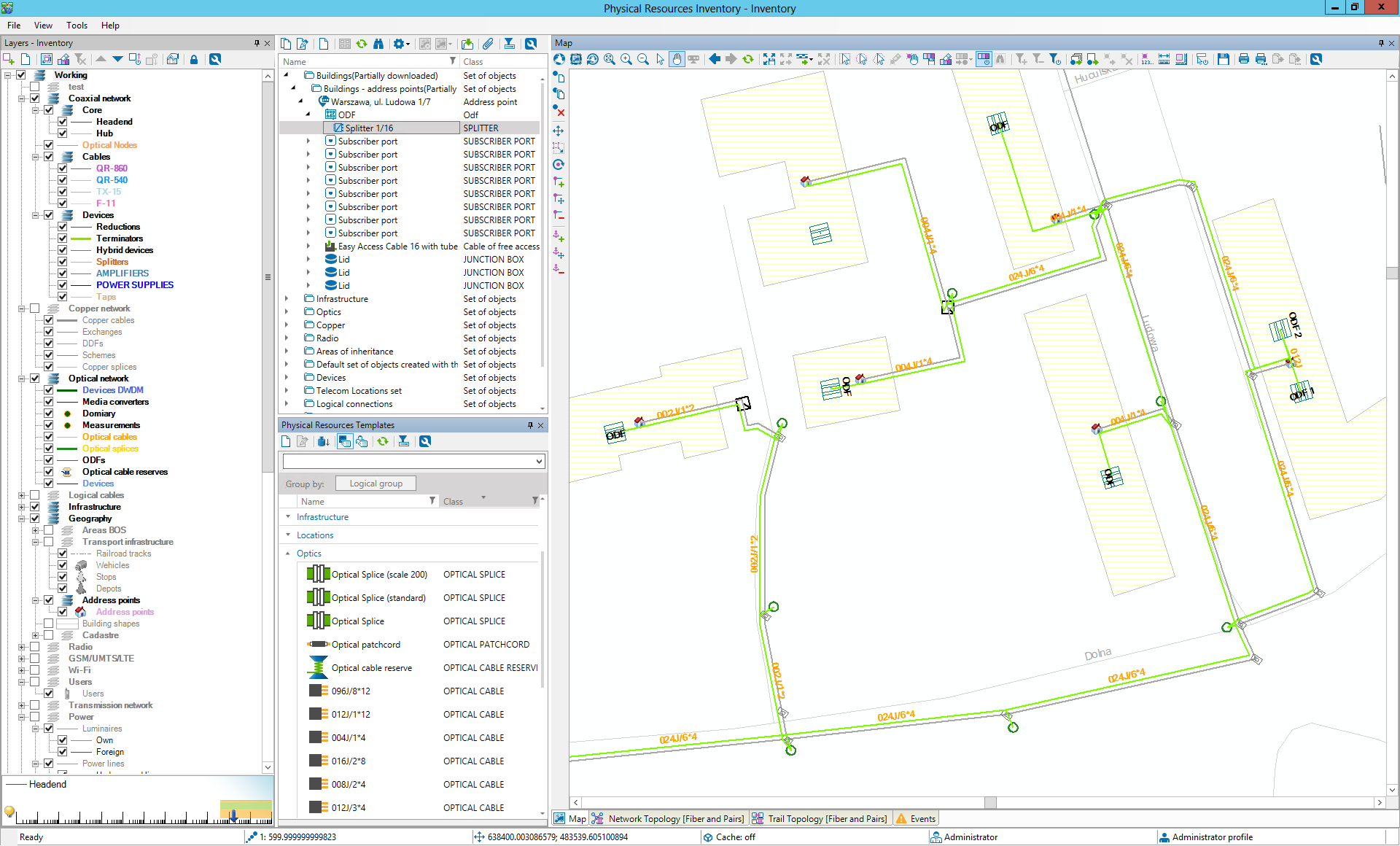
 

Physical Inventory


Occupancy and capacity control where it matters most

A common cause of rollout delays is “capacity that exists on paper, but not in reality.” SunVizion addresses this by tracking real utilization of physical resources, including:

  • Duct and conduit occupancy and remaining space for new cables
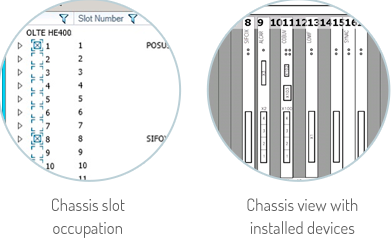
  • Rack and shelf occupation, including card placement
  • Port states and port-level connections
  • This supports confident decisions such as whether a new cable can be routed through a specific duct section, whether there are enough spare fibers, or whether a port is actually free for service delivery.
Physical Network Inventory


SunVizion Physical InventoryNetwork Failure Analysis and service impact visibility
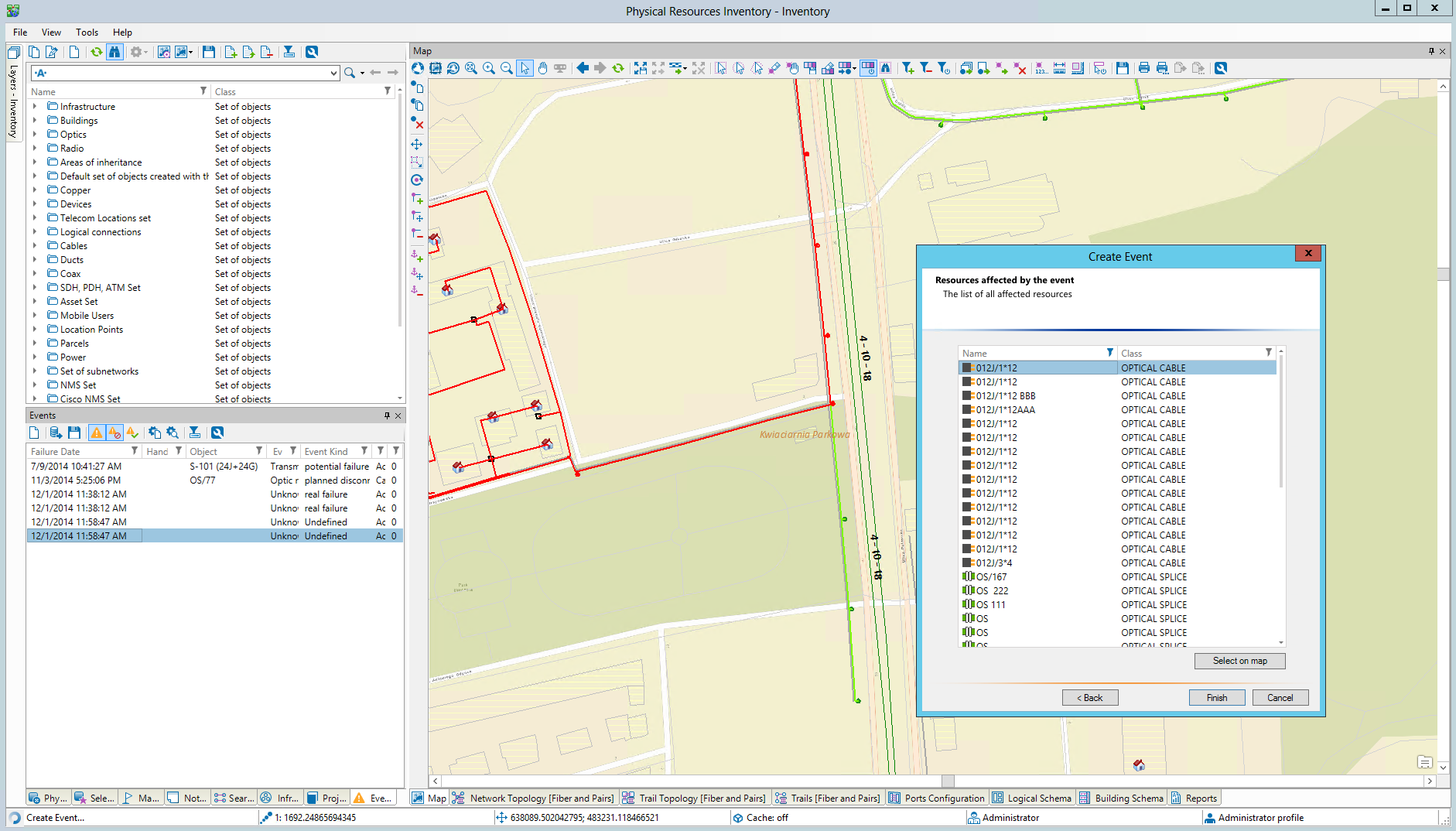
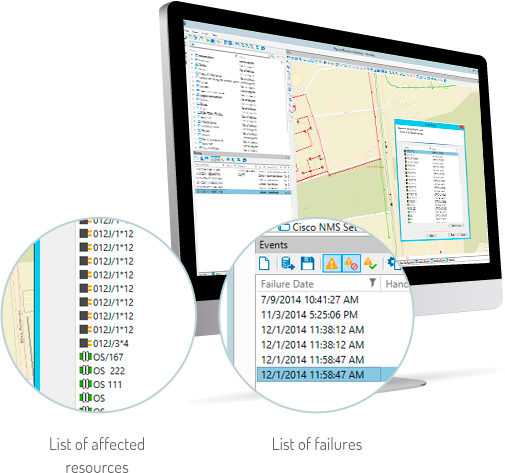
SunVizion records planned and unplanned events (maintenance, outages, repairs) and helps teams identify the failure area on the map, understand consequences in the network, and analyze impact on affected connections and services. It supports planned disconnections with outcome tracking, helps control SLA commitments (e.g., restoration/repair targets), and provides reporting on current incidents as well as historical failure rates for selected network elements.

  • Identifies failure consequences and shows their impact on the network and—when service relationships are available—on the services delivered to end users.
  • Manages planned disconnections and maintenance windows, and analyzes the outcomes to confirm what was affected and what was restored.
  • Helps control SLA commitments by monitoring incident and restoration timelines against agreed targets.
  • Provides operational reporting on current incidents and historical failure rates for network elements to support trend analysis and prioritization.

Optical and copper topology, from strands to end-to-end routes

For fiber and copper networks, SunVizion manages topology and usage at the level needed for real operations:

  • Available and used fibers/pairs and their capacity
  • Splices and splice closures that define real connectivity
  • Trails representing end-to-end routes and their utilization over underlying cables/fibers

Trails can be created manually, but the system also supports automated route finding—including shortest path, least-cost path, alternate route search, and the ability to find two or more diverse paths. This is particularly valuable for leased connections, resilience planning and faster service turn-up.

3D network view for better spatial understanding

SunVizion can present your inventory in a 3D view, combining terrain elevation, buildings and network assets into one spatial model. This makes it much easier to understand how infrastructure is laid out in dense urban areas, complex sites, or underground corridors—without relying on multiple drawings or site visits.
With 3D visualization you can:

  • Review how assets are positioned above and below ground,
  • Validate distances and heights with a few clicks,
  • Display 3D models of infrastructure elements such as pipelines and manholes,
  • Build a more accurate understanding of the site before sending field teams.

Augmented Reality for field teams: see hidden assets on site

Physical Network Inventory stores geo-located assets such as ducts, manholes, towers and cables. SunVizion can leverage this data to provide Augmented Reality (AR) capabilities—so field staff can visualize inventory data directly on site, in context.
AR is especially useful for:

  • Underground assets that are normally invisible (e.g., ducts and manholes/handholes),
  • Above-ground assets such as aerial cables on poles,
  • Asset identification and enrichment, showing key details like asset name/ID,
  • Containment and hierarchy, e.g., a splice case inside a pit or a cable inside a duct.

Where assets have only 2D coordinates (a common case in legacy databases), SunVizion can apply default height or depth values (e.g., standard cable height above ground or duct depth below ground) to enable practical AR visualization.


Works even better with Logical Inventory

When combined with SunVizion Logical Resource Inventory, failure and event analysis can be extended beyond physical assets to include logical relationships, bandwidth and service-facing dependencies. This gives teams a clearer view of how network incidents translate into service impact and helps prioritize restoration based on what matters most.

Benefits

Provides one reliable source of truth for physical network assets across Outside Plant and Inside Plant—so teams always work on the same, consistent data set.

Provides one reliable source of truth for physical network assets across Outside Plant and Inside Plant—so teams always work on the same, consistent data set.

Speeds up fault resolution by pinpointing affected assets on the map, tracing impact through connectivity, and guiding restoration priorities with clear visibility of what’s down and why.

Speeds up fault resolution by pinpointing affected assets on the map, tracing impact through connectivity, and guiding restoration priorities with clear visibility of what’s down and why.

Reduces rollout risk by tracking duct/conduit, rack and port occupancy, making available capacity visible before you commit to a design or an installation.

Reduces rollout risk by tracking duct/conduit, rack and port occupancy, making available capacity visible before you commit to a design or an installation.

Speeds up engineering and operations by linking assets into real connectivity (cables, fibers/pairs, splices, ports), not just standalone records.

Speeds up engineering and operations by linking assets into real connectivity (cables, fibers/pairs, splices, ports), not just standalone records.

Improves service delivery readiness by showing actual spare fibers/pairs, port states and physical connections needed to activate or troubleshoot services.

Improves service delivery readiness by showing actual spare fibers/pairs, port states and physical connections needed to activate or troubleshoot services.

Enables fast end-to-end tracing through optical and copper topology, including trails that represent real route usage over underlying cables and fibers.

Enables fast end-to-end tracing through optical and copper topology, including trails that represent real route usage over underlying cables and fibers.

Supports resilience and cost control by creating trails manually or automatically using route-finding algorithms (shortest, least-cost, alternate and diverse paths).

Supports resilience and cost control by creating trails manually or automatically using route-finding algorithms (shortest, least-cost, alternate and diverse paths).

Increases engineering confidence with built-in PON optical loss analysis, including attenuation and signal level calculations that can be exported to documentation.

Increases engineering confidence with built-in PON optical loss analysis, including attenuation and signal level calculations that can be exported to documentation.

Helps field teams work faster and safer with 3D visualization and Augmented Reality, making underground and above-ground assets easier to understand and identify on site.
Helps field teams work faster and safer with 3D visualization and Augmented Reality, making underground and above-ground assets easier to understand and identify on site.

Logical Network Inventory

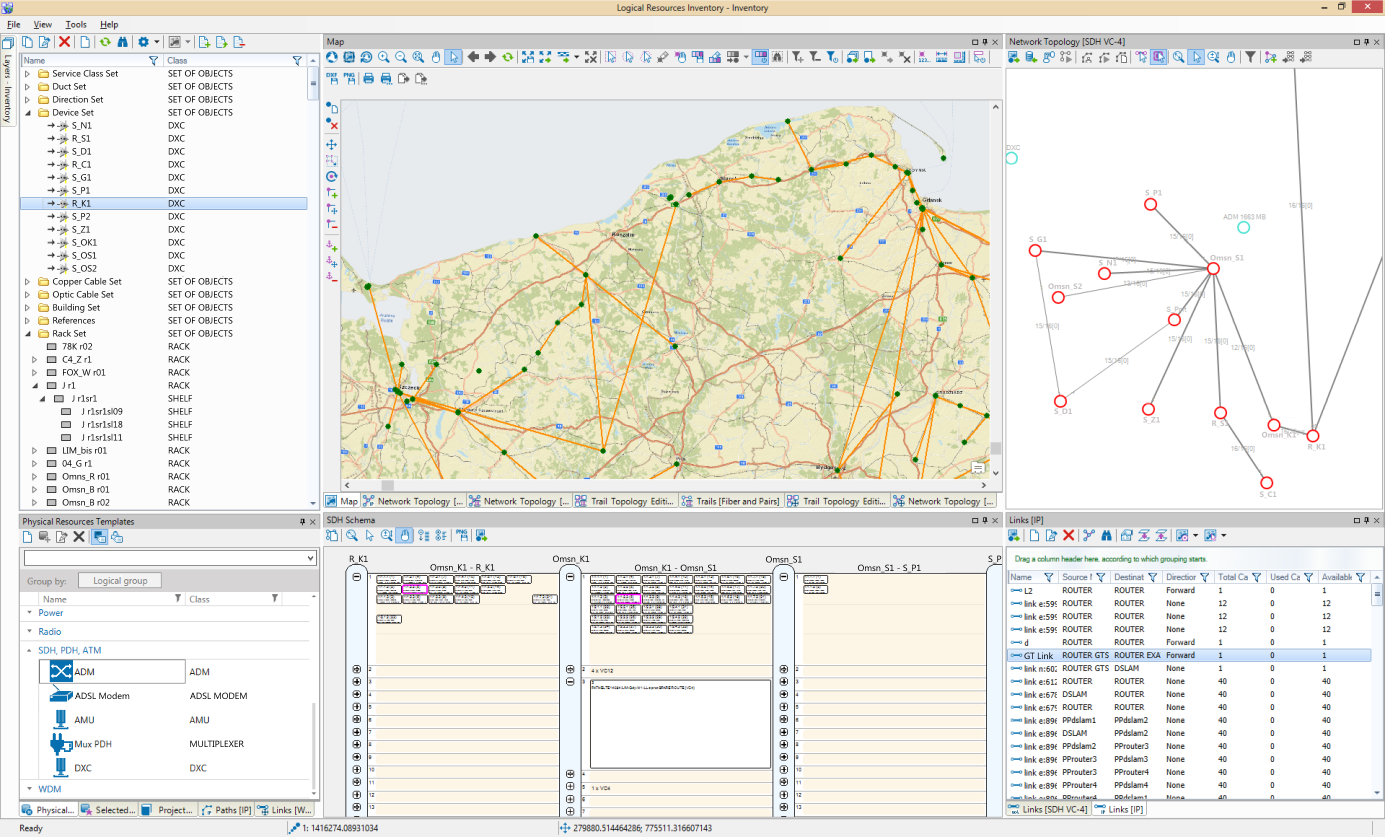
SunVizion Logical Network Inventory helps telecom operators and infrastructure providers manage the logical side of the network—how bandwidth, channels and services are carried across transmission layers such as IP/MPLS, Ethernet, WDM and SDH/PDH. It gives you a clear view of network topology, capacity, and utilization, so you can quickly find available paths, reserve resources, and understand how changes or failures affect customers and services.

If your network data is scattered across NMS tools, spreadsheets, and diagrams, SunVizion brings it into one consistent, searchable model that is built for everyday engineering and operations.

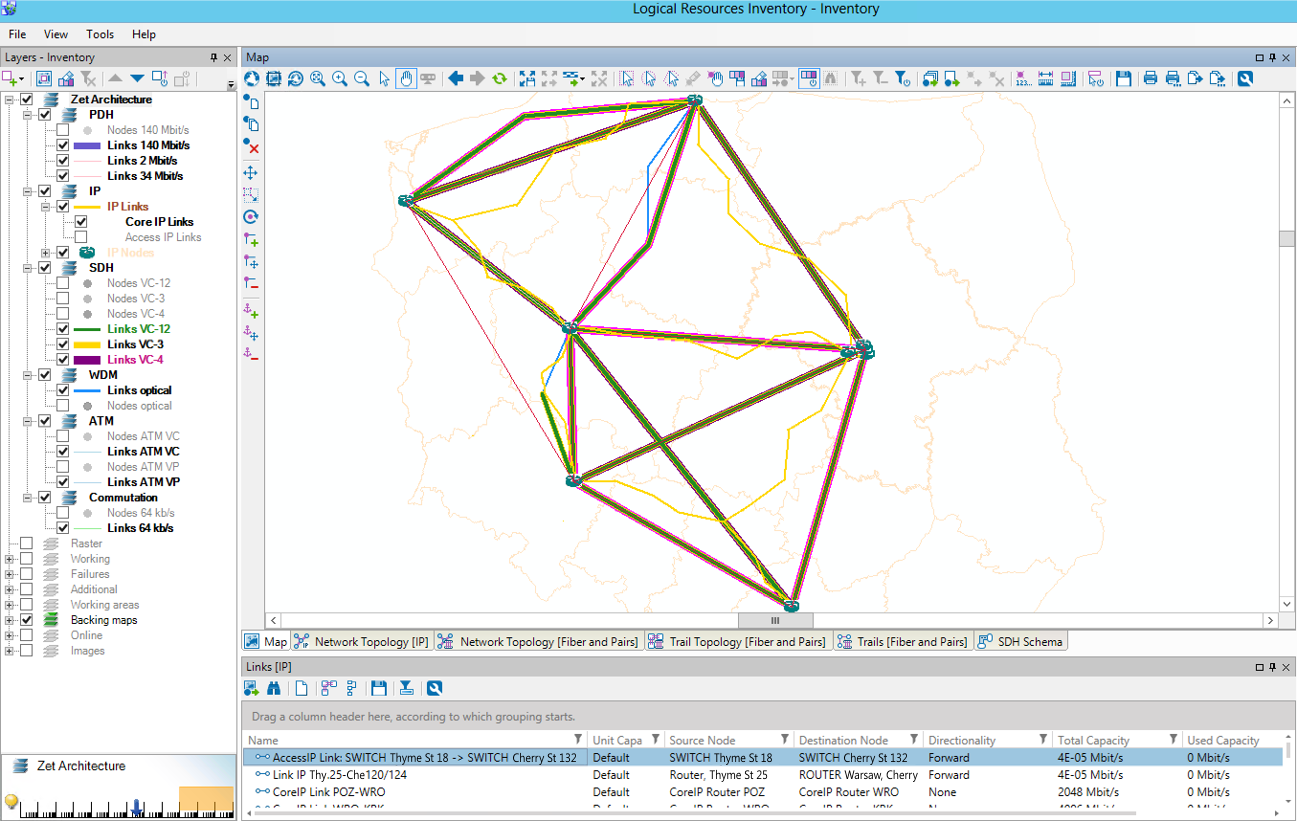
See the full logical network topology—by technology layers

SunVizion organizes your transport and IP network into logical layers, where each layer contains:

  • Nodes representing real network elements and their interfaces
  • Links representing logical connections between nodes
  • Bandwidth information, including total capacity and current utilization

This makes it easy to answer practical questions like:

  • Which route has enough free capacity for a new customer connection?
  • Where is the congestion building up?
  • Which links and ports are already booked?


Telecom Logical Network Inventory


Capacity visibility and easier reservation of network resources

Logical Network Inventory provides a real-time view of network occupancy / utilization. Connections can be searched, checked for availability, and reserved without manual cross-checking across multiple systems.

This is especially valuable for:

  • backhaul and transport networks with shared capacity,
  • wholesale and leased lines,
  • multi-layer networks where capacity in one layer depends on another.


Logical trails: track end-to-end connections and who is using them

SunVizion stores logical trails, which represent end-to-end capacity usage across a sequence of links—for example a transport trail that carries a higher-layer service.

Trails can represent:

  • internal transport used by the operator,
  • trails leased to customers (including other operators),
  • trails leased from third parties (with interconnect elements modeled in the network graph).

Each trail can include route, termination points, status (available, reserved, leased, defective), duration, and commercial context such as customer/contract/SLA data—so you can manage both existing services and future reservations in one place.

Automated path finding to speed up provisioning and reduce errors

Trails can be created manually, but SunVizion also supports automated routing algorithms that help you find:

  • the shortest path,
  • the least-cost path,
  • an alternate path (including routes without common elements),
  • multiple candidate paths based on filters (required nodes, number of paths, technology constraints such as WDM wavelengths).

This helps teams provision faster and improve utilization by making better routing choices.

Map logical services to physical infrastructure

SunVizion allows you to map physical resources (such as cables or channels) to logical layers, so you can understand what a logical service is actually using underneath.

This gives you end-to-end visibility—from a logical connection down to the real infrastructure that carries it—and supports better engineering decisions for upgrades, migration and resilience planning.

Inter-layer associations: understand dependencies and single points of failure

A key strength of SunVizion is the ability to connect layers into a dependency stack—for example:

  • fiber layer → WDM → SDH/PDH → Ethernet/IP → customer services

These inter-layer associations make it possible to trace dependencies “up and down” and identify:

  • shared lower-layer resources used by multiple services,
  • potential Single Points of Failure (SPOF),
  • whether backup paths are truly diverse at the lower layers.

This is essential for designing resilient networks and for accurate impact assessment during incidents.

Failure impact analysis using alarms from fault management systems

When SunVizion receives alarms from Fault Management or Network Management systems, it can use topology and inter-layer dependencies to determine:

  • how far the failure propagates across layers,
  • which logical trails, services and customers are affected,
  • what the downstream consequences are—often with visual support on the map.

This improves incident response, prioritization and customer communication.


Built for multi-technology transport and IP networks

SunVizion Logical Network Inventory supports the technologies commonly used in modern telecom networks, including:

  • WDM (DWDM/CWDM/OTN) with capacity and trail management
  • SDH/PDH with topology, utilization and protection visibility
  • Ethernet and IP/MPLS with interface-level inventory and connectivity

It is designed for real-world networks where different technologies coexist and depend on one another.


Logical Network Inventory


Works best together with SunVizion Physical Network Inventory

Logical Network Inventory becomes even more powerful when combined with SunVizion Physical Network Inventory, because logical topology can be linked to real infrastructure such as fiber cables, ducts, ports and sites—giving you a complete end-to-end view from map to service.


Benefits

Provides a clear, layer-based view of logical network topology (IP/MPLS, Ethernet, WDM, SDH/PDH), making complex transport networks easier to understand and manage.

Provides a clear, layer-based view of logical network topology (IP/MPLS, Ethernet, WDM, SDH/PDH), making complex transport networks easier to understand and manage.

Makes capacity and utilization instantly visible on links and ports, so teams can see what is free, what is booked, and where congestion is building up.

Makes capacity and utilization instantly visible on links and ports, so teams can see what is free, what is booked, and where congestion is building up.

Speeds up provisioning by enabling fast search, availability checks, and reservations of network connections without manual cross-checking across tools.

Speeds up provisioning by enabling fast search, availability checks, and reservations of network connections without manual cross-checking across tools.

Improves end-to-end connection management with logical trails that capture route, termination points, status and lifecycle details for both internal and customer-facing connectivity.

Improves end-to-end connection management with logical trails that capture route, termination points, status and lifecycle details for both internal and customer-facing connectivity.

Reduces routing errors and optimizes utilization through automated path finding (shortest, least-cost, alternate and diverse routes) with filters such as required nodes or technology constraints.

Reduces routing errors and optimizes utilization through automated path finding (shortest, least-cost, alternate and diverse routes) with filters such as required nodes or technology constraints.

Connects logical services to the underlying infrastructure by mapping logical layers to physical resources, giving true end-to-end traceability from service to cable/port.

Connects logical services to the underlying infrastructure by mapping logical layers to physical resources, giving true end-to-end traceability from service to cable/port.

Strengthens resilience planning by exposing inter-layer dependencies and shared resources, helping identify Single Points of Failure and validate real path diversity.

Strengthens resilience planning by exposing inter-layer dependencies and shared resources, helping identify Single Points of Failure and validate real path diversity.

Accelerates incident response by using alarms from fault management systems to determine failure extent and identify impacted services and customers.

Accelerates incident response by using alarms from fault management systems to determine failure extent and identify impacted services and customers.

Supports multi-technology, multi-vendor environments with a consistent model for transport and IP networks, making modernization and network evolution easier to control.

Supports multi-technology, multi-vendor environments with a consistent model for transport and IP networks, making modernization and network evolution easier to control.

Network Planning

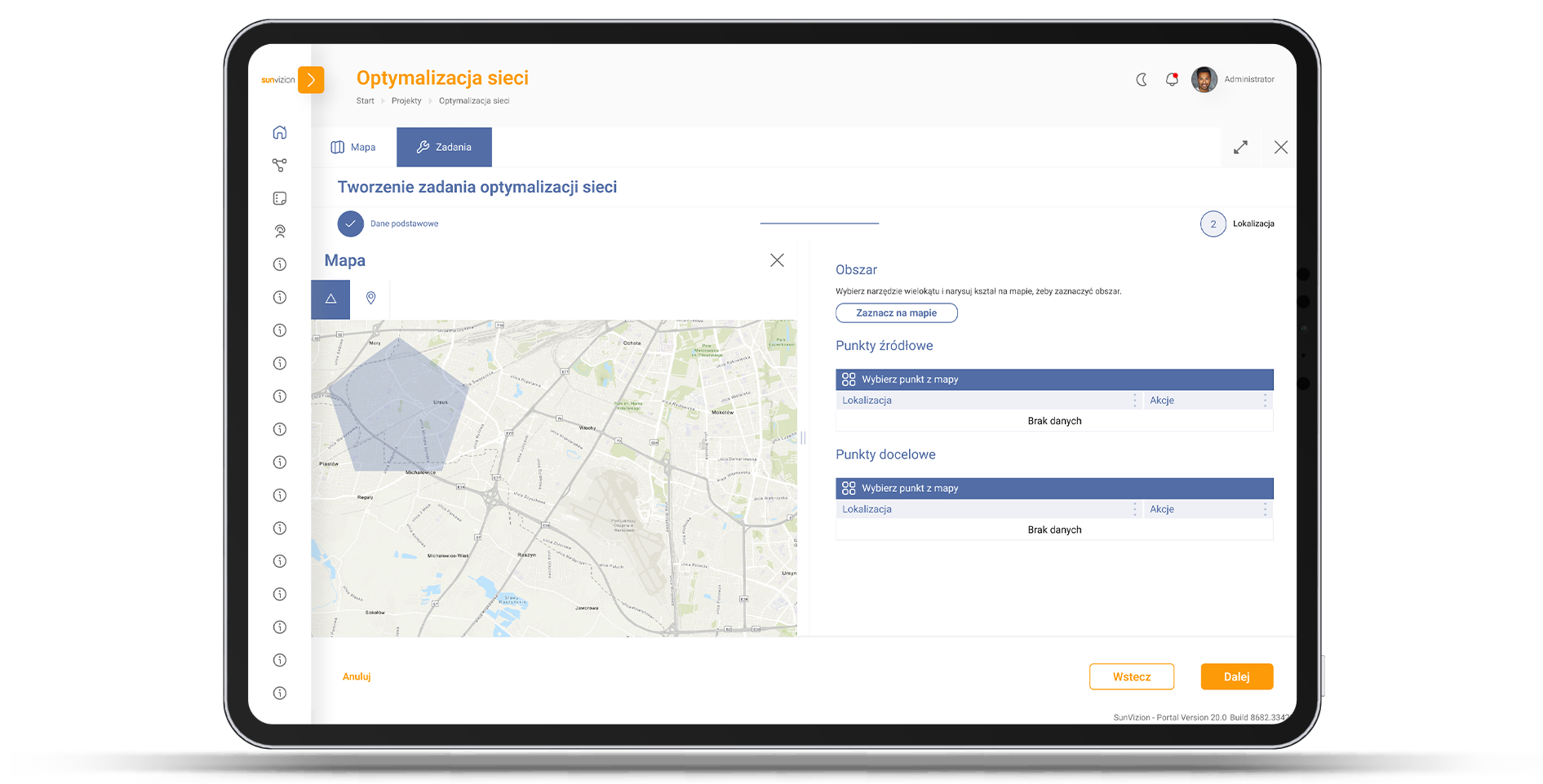
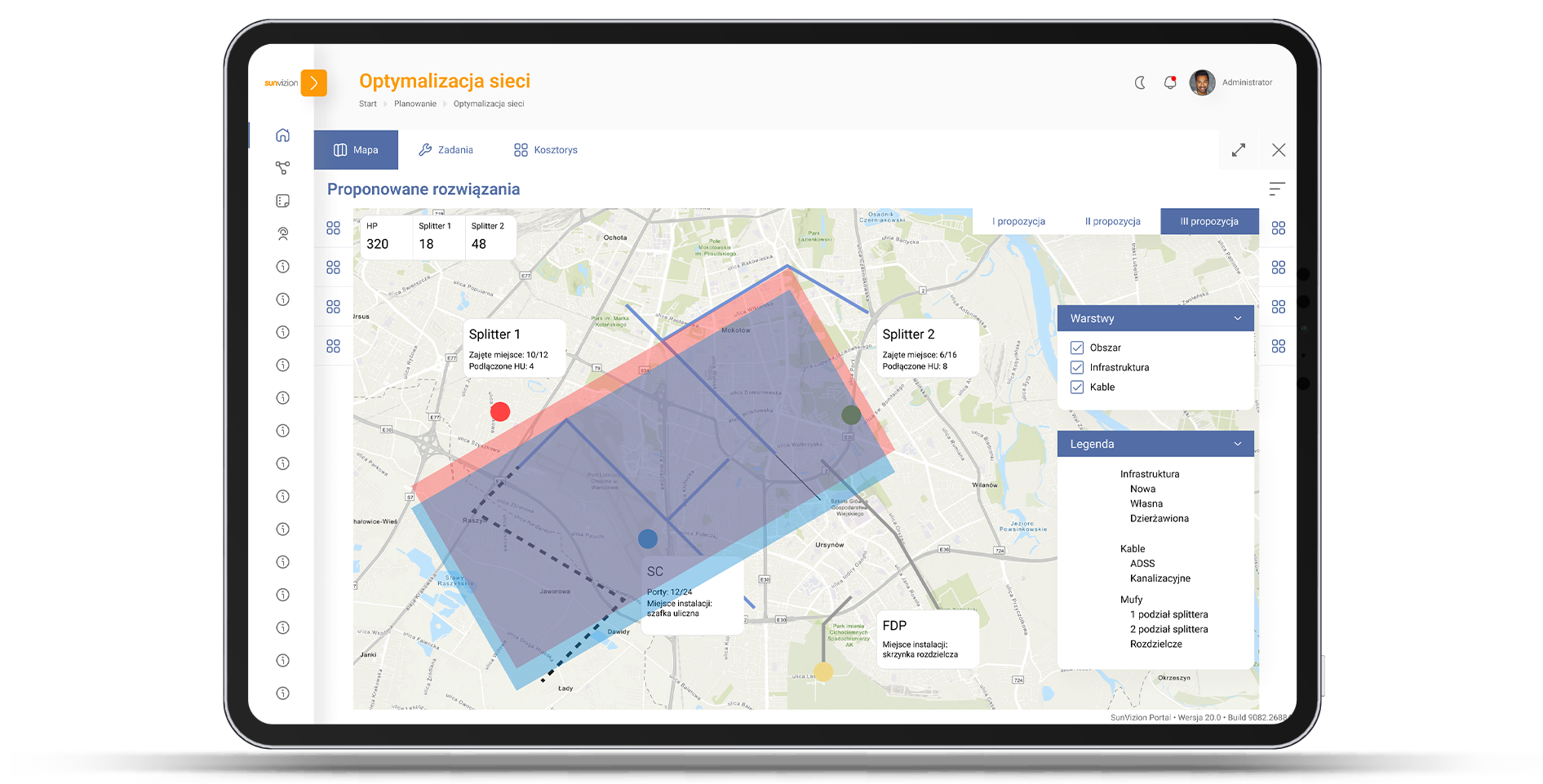
SunVizion Network Planning & Design was created to support Cable Operators and Triple Play Service Providers in their network expansion plans. It significantly cuts down the time and expense of the design, analysis and implementation of new networks.

Telecom network planning

SunVizion Network Planning Design is a natural extension of the SunVizion Network Inventory solution and it’s fully integrated with it. The data is
automatically transferred from one system to the other, ensuring that planning always reflects the most recent information about the current state of the existing network.


Designing - Analyzing Changes


Features:

  • Advanced algorithms that consider factors such as topography, existing infrastructure, possibilities of use and costs of lease of other operators infrastructure, cost of equipment, and transmission easement costs
  • Automatic data synchronization with the network inventory system
  • Libraries of pre-modelled network elements and devices
  • Detection of power supply conflicts and calculation of power consumption for each element
  • Automatic generation of a bill of materials report for newly designed networks.
  • Presentation of auxiliary documents associated with an object


Benefits

Significant reduction in time and cost of telecom network planning

Significant reduction in time and cost of telecom network planning

The best possible cable run optimization

The best possible cable run optimization

Early detection of potential conflicts between mutually exclusive plans

Early detection of potential conflicts between mutually exclusive plans

Planning based on continually updated data o the current state of the existing network

Planning based on continually updated data o the current state of the existing network

Service Inventory

What is Service Inventory?

Service Inventory is used to collect, process, and share information about services offered by the operator to facilitate service sales and maintenance processes. The solution allows for service modeling in alignment with TM Forum recommendations, enabling telecommunications operators to comprehensively document all aspects and parameters of their services, both from a client and hardware perspective. Service Inventory provides a web service interface for smooth integration with other systems, including CRM, Resource Inventory, and Workflow.


Telecom Service InventoryPhysical Resources


  • Verifies whether a given service can be provided at specified locations or between specified locations
  • Registers services sold to a customer and reserves network resources used for the service
  • Supplies the technical parameters required to activate a given service in a service activation process.


Service InventoryServices Associated with Selected Network Elements


  • Display services related to the selected network element
  • Each set of services can be easily located using the selected text phrase, customer name, or service status


Service Inventory in TelecomService Mapping on Logical and Physical Resources


  • Each service can me mapped onto logical and physical resources
  • Recording and reporting of indicators demonstrating the quality of services
  • Tracking the historical availability of services over time


Benefits

Quick check to determine service feasibility at a given point

Quick check to determine service feasibility at a given point

Fast deployment of new services

Fast deployment of new services

Reduced costs of service maintenance

Reduced costs of service maintenance

Centralized data about services

Centralized data about services

Inside Plant Inventory

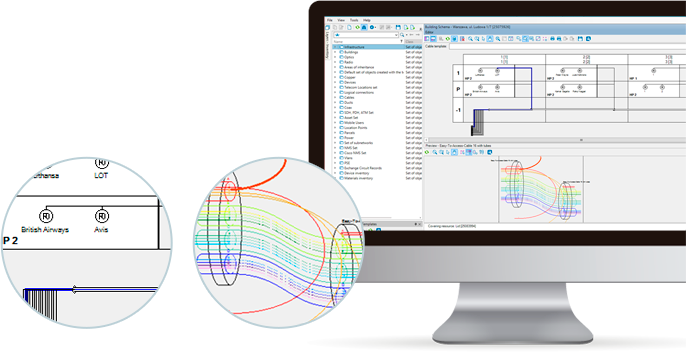
SunVizion Inside Plant Inventory is an advanced application designed for documenting and managing telecommunications network devices and components. It provides hierarchical decomposition and visualization of network elements along with their parameters, such as amplifiers in cabinet, splices in a manholes, or rooms in buildings.


Telecom Inside Plant Inventory


SunVizion Inside Plant Inventory comes with a libraries of most commonly used devices for different types of networks and underlying technologies. These encompass fiber-optic, coaxial, copper, radio lines, SDH, PDH, IP, WDM, GSM, UMTS, CDMA, HSPA, LTE, WiMAX, and more.


Inside Plant Inventory

  • Location of service termination points within a building's structure, including apartments and rooms
  • Positioning and linking network elements (symbols) located inside the building
  • Offering the capability to easily replicate network segments across buildings, such as stairways, floors, apartments, and rooms, and cellars.


Telecom Inside Plant Inventory

Shelf View


  • Presentation of object location within the network infrastructure (e.g. amplifiers in cabinets, splices in manholes, rooms in buildings)
  • Advanced visualization providing single view of both logical and physical network aspects


inside plant software


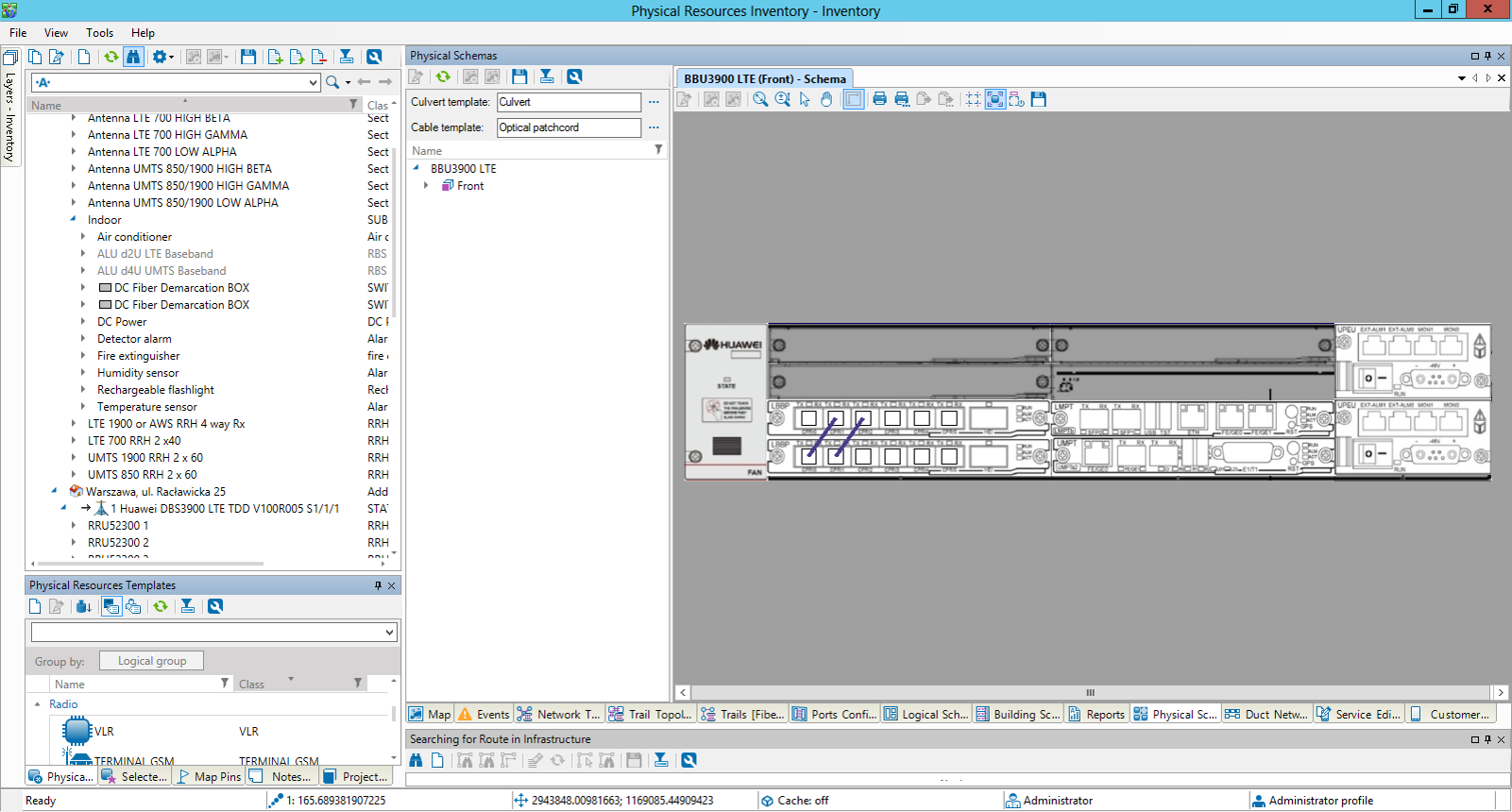
Equipment View


  • Device view presenting sub-elements and their structure (e.g. routers, cards, downstreams, ports)
  • Libraries of pre-modeled network elements suitable for various network technologies
  • Presentation of auxiliary documents related to an object, with potential integration with external repositories


Sunvizion inside plant inventory

Floor plan view


  • Presentation of network elements on floor plan views
  • Hierarchical decomposition and visualization of building structures and network elements along with their attributes, e.g. stairways within buildings, apartments and floors within stairways, splitter locations within buildings, amplifiers in cabinets, etc.


Benefits

Direct access to all information 
about telecom resources 
located in buildings

Direct access to all information
about telecom resources
located in buildings

Faster deployment 
of new services

Faster deployment
of new services

Quick verification of service 
availability at specific 
address point

Quick verification of service
availability at specific
address point

Automatic failure 
impact analysis

Automatic failure
impact analysis

Workflow

Through integration with Workflow, SunVizion Network Inventory can support and automate business processes by utilizing data about network resources. Examples of these processes include network maintenance, network planning and development, reservation, service activation, and verification of resource availability. 


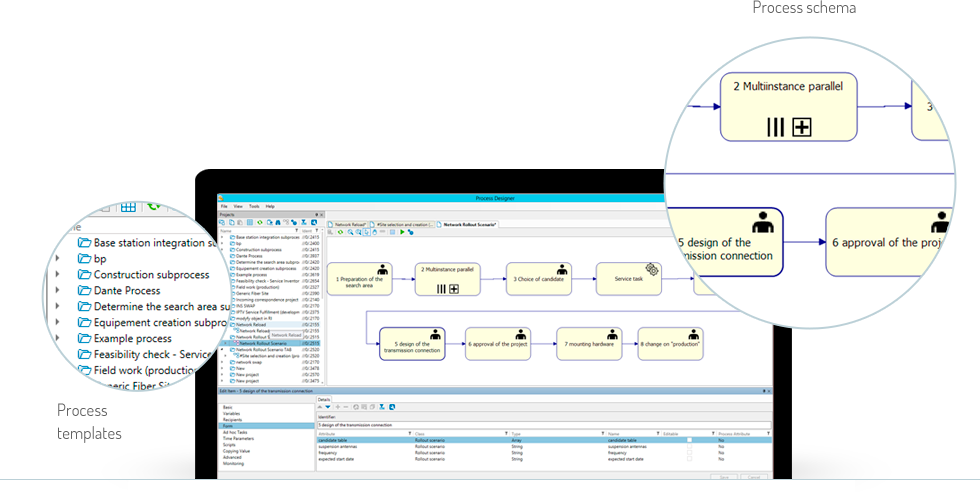
Workflow Process Designer


  • Graphical interface for defining tasks, their relationships, and the flow between them
  • Easy management of processes related to network infrastructure and sales of the services. Examples include device installation, repair, network expansion, and service  activation processes.

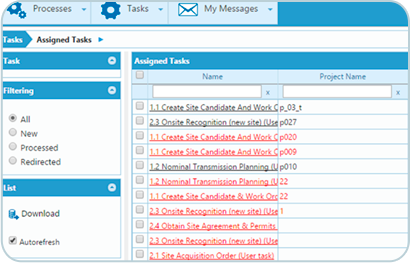
Process Management Web Interface


  • Enables assignment of  task to specific employees or roles, and to departments or other organizational units
  • Detects errors and inconsistencies during the design phase, before initiating the operational process


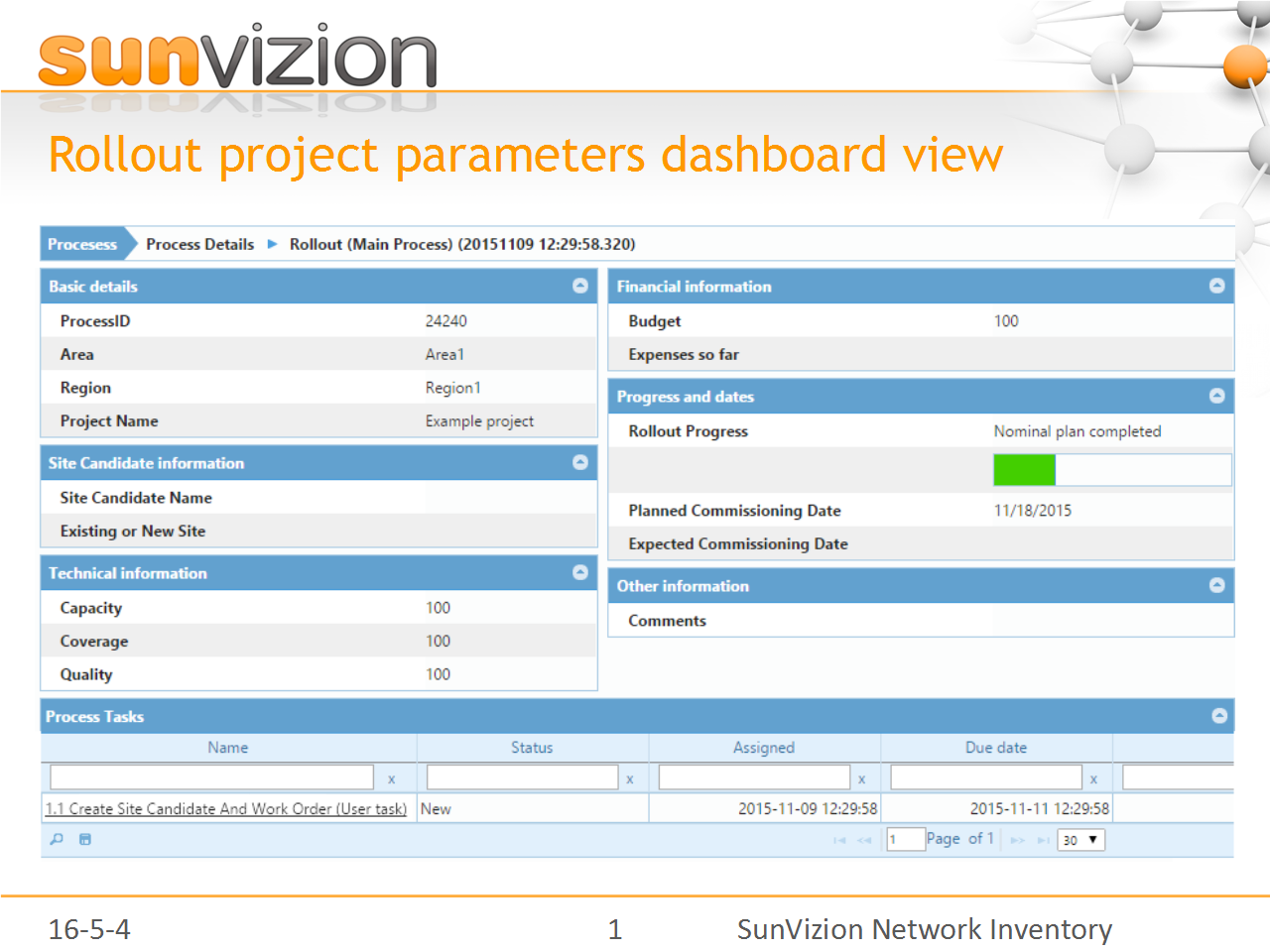
Rollout Project Dashboard View


  • Monitors network design status, progress, and key investment parameters
  • Reduce inefficiencies caused by repeated data entry, data inaccuracies, inconsistencies, and under-utilization


Benefits

Decreasing the time for the order-to-bill cycle

Decreasing the time for the order-to-bill cycle

Integration of all relevant operations in one complete enterprise system

Integration of all relevant operations in one complete enterprise system

Reduction of  investments processes delays and costs related to them

Reduction of investments processes delays and costs related to them

Seamless collaboration of different actors and departments

Seamless collaboration of different actors and departments

Reduction of time and cost of devices modifications, optimizations and adjustment

Reduction of time and cost of devices modifications, optimizations and adjustment

What is a Network Inventory System?

Network Inventory Systems are the tools used by network operators to itemise and manage the assets and infrastructure that the network is comprised of. However, the network inventory extends beyond the switches and routers that most people immediately think of.

Telecom Network Inventory includes:

  • Physical devices (switches, routers, multiplexers, modems, cards, splice cases, splitters / combiners, storage arrays and much more)

  • Logical and virtual infrastructure (virtual machines, firewalls, load balancers and more)

  • Containment (buildings, rooms, racks, ducts, pits, towers, poles and more)

What’s the difference between a network inventory system and an asset management system?

The examples above are network assets that are “nodal” in nature, just like asset management systems. However, the big difference between a typical asset management solution and telecom network inventory solutions comes down to the importance of “connectivity” and “associations” that only the Telecom Network inventory Solutions provide. These are fundamental to managing a network of any significant size and complexity.


Telecom network inventory solutions provide the “glue” using objects including:


  • Physical connectivity (cables, patch-leads, splices / connectors, radio links, etc)

  • Logical connectivity (virtual circuits, virtual private networks, end-to-end circuits that link other network segments like the physical connection types above)

  • Network Associations (customer to circuit, IP address to port or device, service identifier to physical / logical connection, field workforce to job and related spares, network devices to map locations, etc)

How network inventory facilitates Root cause and Service Impact Analysis (RCA / SIA)?

Network inventory provides connectivity and the associations (in the dot-points above) that allow root-causes to be identified from the consequential alarms / alerts. It’s also the network inventory solution’s connectivity and associations that allows a network operator to identify which services and customers are identified during an outage. It’s also this inventory network that helps provide network / capacity planners and other operations staff with an understanding of network utilisation trends. These activities help to ensure ongoing network health, optimisation and profitability.